This was an interesting challenge although it was not that hard, we could still learn something from analyzing this challenge
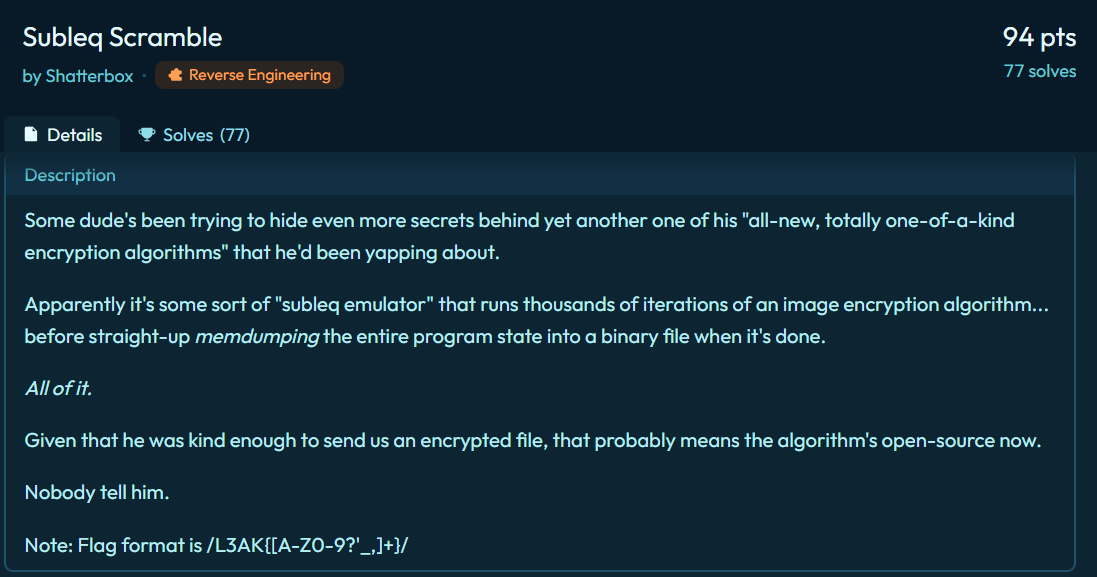
The downloaded file is a raw binary file with no recognizable format. From the challenge’s description, we know that this is a dump of memory state of a SUBLEQ emulator after encrypting an image
Just in case you don’t know what a “subleq emulator” is. Basically SUBLEQ means “Subtract and Branch if Less than or Equal to Zero”. SUBLEQ is considered a finite-state machine because of the boundary in memory range (for example 8-bit, 16-bit, 32-bit, …) But abstractly, it could be witnessed as a turing-complete machine
Heading back to the challenge, since the author only gives us the final memory state of the emulator, where data is modified throughout execution, it could be harder to analyze the challenge if the binary does some operation that we could not manually reverse. For example, program could modify its own operands or branch targets. But let’s hope they didn’t deliberately do this
First of all we need to determine what word size this SUBLEQ implementation uses, we can make an initial guess by looking at several piece of evidence. First of all, it could not be 8-bit, well subjectively speaking, 256 memory cells are too tight to write any program not to mention this is an image-encryption program. A 32-bit or larger word-size program is not good at all because by interpreting the binary, some instructions access indices that exceed the bounded memory range so this implementation is not plausible as well. So 16-bit fits all these conditions. Although this was just a heuristic guess, just trust me here Proof by AC
This part initializes loop counter limitation, which is up to 9999, because data[257] is fixed at -9999 (you can examine from the binary)
Alright we figured out the looping block, all instructions located from 0x3 to 0xa2 are the main encrypting logic. There are some operations with a pattern like data[xx] -= data[xx] so I named it Reset data[xx]
I named width because I saw that its value (which is 84) is a constant. Well basically eventhough, it could be the width or the height, the distinction does not affect the analysis, Incidentally, there is a height variable equal to 38. So the image is 84x38
Look closely, there is a repeating block from 0x15 -> 0x1b which computes the value -h * width - w
The encrypted image blob starts at index 264 so I named a memory cell with the fixed value 264 as start_image_blob
This part is pretty tricky and it sent me down the wrong direction, we can recognize that reg1 stores -h * width - w - start_image_blobreg3 = reg4 = reg5 = -reg1 = start_image_blob + h * width + w means reg3, reg4, and reg5 contain the memory address of the image cell at coordinates (w, h) rather than the pixel value
At first glance, I thought they were just temporary variables used to prepare something related to encryption but I was wrong. Look again at the log, the positions of those variables were 90, 136 and 97 respectively, which are located directly in the code region of the program, so this means the program is modifying operands related to index in later SUBLEQ instructions to point to the memory address of the image cell to process that cell during later encryption
There is a pattern for checking the boundaries of w and h
At 0x39 and 0x42, the log illustrates that, to continue the encryption loop, the condition must be w >= 0 and w <= width. h also needs a similar condition.
I have separated this main encryption blob into 4 different blocks. As a reminder, reg0 at 0x60, 0x80, and 0x5a has been replaced by the index of the current pixel. Returning to the logic of this log is equivalent to the following C-like pseudocode
As you can see, data[255] and data[256] are dx and dy respectively. In conclusion, the encryption is relatively simple, it performs a bit-flipping operation and moves to the next cell depending on the current pixel value. This process is repeated 9999 times. In my opinion, The log would not be that hard to analyze because the terminology is pretty clear. The remaining lines of the log are actually weird. However I believed that those things were merely junk data or decoys, so I ignored them.
So our mission here is pretty intuitive, extracting the encrypted image from index 264 to the end of the binary file, and then reversing the operation exactly 9999 times.
One more thing I need to mention is that each pixel represents a color of one point in the image, either black/white or red/blue. The contrast between two color creates visible text on the image that we could see (at first, I thought it was a bitstream of the image)
The challenge gives us three files which are server.exe, client.exe and challenge.pcap. My experience tells me that this challenge will be about the interaction between server.exe and client.exe, whereas the challenge.pcap is the captured packet during the communication process
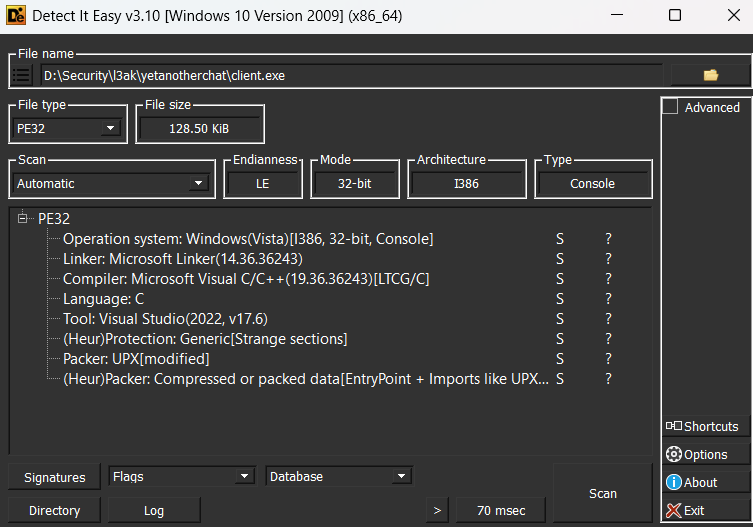
Let’s triage these binaries first, I will use Detect It Easy
These binaries are packed using UPX, however the UPX decompressor was unable to unpack the binary. So I think it is highly modified and hijacked, so we have to manually unpack it. The packed binary often execute its shellcode to reconstruct the original binary, then run it. In order to unpack, we have to find OEP (Original Entry Point), the actual entry point of our binary, not the shellcode one.
There are several ways to find this value, we could place a breakpoint on the section that packer stores unpacked executable to detect whether it is executing or finding the last jump instruction in the shellcode
Whatever method you use, the ultimate goal is to find the OEP. Unfortunately, the binary is heavily obfuscated, so we could not analyze the binary statically. I can’t determine whether deobfuscating this binary is feasible
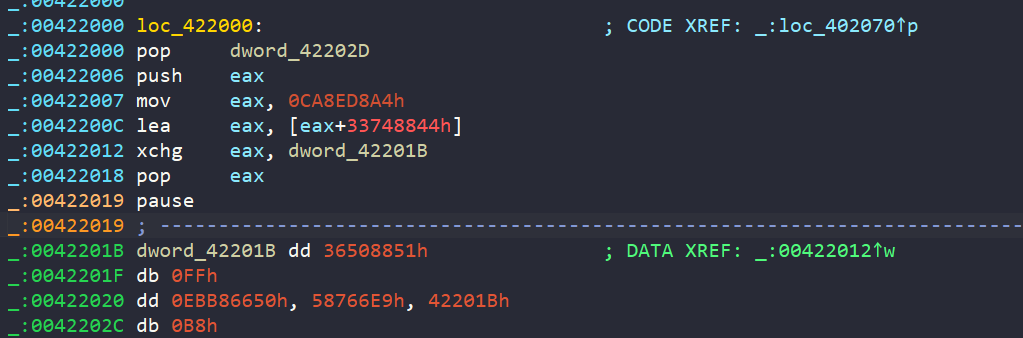
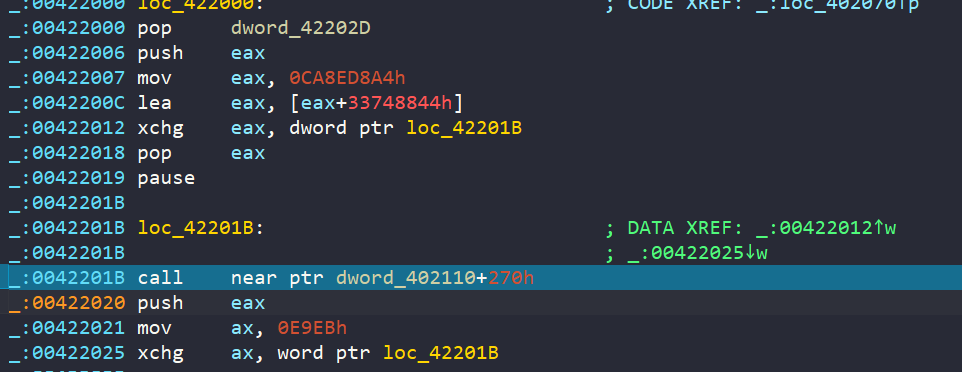
It is trying to compute the bytecode at runtime and patch the next instruction directly using the xchg instruction
Then after executing the decoded instruction, it returns to the unreadable opcode
Although the pattern is clear, there is a high risk in encountering unexpected behaviour. So I decided to debug the challenge dynamically (the cost that I have to pay is 10 hours of suffering)
Before edging through a thousand assembly lines, I decided to monitor how many API calls were made throughout execution. By using API Monitor, we were able to collect a lot of useful information, we can monitor all the APIs related to Networking, Visual C++ Runtime Library, and Security and Identity (select these options in API Monitor)
First of all we can see that the server.exe is initializing some basic networking setup. For example, setsockopt for configuring TCP socket or inet_addr and bind for establishing a loopback network connection, then start listening to the incoming packets.
When I first ran the client.exe, some really interesting API calls appeared. They were CryptAcquireContextA, CryptGenRandom, and CryptReleaseContext. One of the arguments passed through CryptAcquireContextA is PROV_RSA_FULL, so I thought the intended encryption algorithm was RSA but unfortunately I could not even detect any other APIs that were used to encrypt a message with RSA.
Right after that, the server sends three different payloads. Under my observation, the first one is a number, the second one is an array with 16 random bytes generated from CryptGenRandom, and the final one is an encrypted hexstream. The first value is the total length of the last two payloads. Let’s call this a request, so the structure of one request is
To retrieve packets from the server, client must use recv to receive packets. So I just need to place a breakpoint at client’s recv API, then continue to execute the program
Just a few instructions later, we will fall into this blob
My attention is drawn to the instruction add esi,61C88647 which is commonly used in TEA/XTEA decryption. After putting in some effort to examine how data is transformed, I confirm that this is 100% XTEA decryption. This blob decrypts the payload that the server sent, using these 4 keys
Basically if you have encountered enough rev challenges, you will know this is a constant in the RC5 encryption/decryption (or you can search gg). After looking around how data is transferred and processed with that constant, there is a fixed array with a length of 26 is generated
This matches perfectly with what RC5 produces. So this is most likely the RC5 key expansion function, we need to determine whether this is used for encryption or decryption
This part gives us enough information to conclude this is used to decrypt. After 0x4011D0, the value, stored in EAX and EDX, is respectively the first 2 DWORD of the decrypted payload with XTEA. The RC5 S table is stored at [ESP + 0x28]. It is then subtracting with S[2 * i + 1] (ESI is the current loop index). Then xor-ing and ror-ing with EDX (the second value in the decrypting routines) and . These evidences are enough to confirm this is for decryption
After these two decrypting rountines, I could not find any others. So I decided to decrypt the first payload group that server sent to client in the challenge.pcap file and it produces a readable string. Wow this is incrediable, all thing is now clear, we just need to do this with all other payload groups with the belief that client -> server uses the similar decrypting method :D
 Before getting into my solution, I think there might be other clever directions because my approach seems to be tough